 Doctor Wallet
Clinic software made in Sri Lanka
Run your clinic from the queue to the receipt.
Doctor Wallet keeps working when the internet doesn't. Tokens, consultations, prescriptions, dispensing, SMS and reports run on your own PCs and are backed up to the cloud.
- Works offline
- Many PCs, one clinic
- Installed and taught by LankaNova
Built for the clinic, not for the cloud
A power cut or a slow line shouldn't stop the queue.
Works without the internet
Your data lives on your PC. Patients are seen, prescriptions written and receipts printed with no connection at all.
Many PCs, one clinic
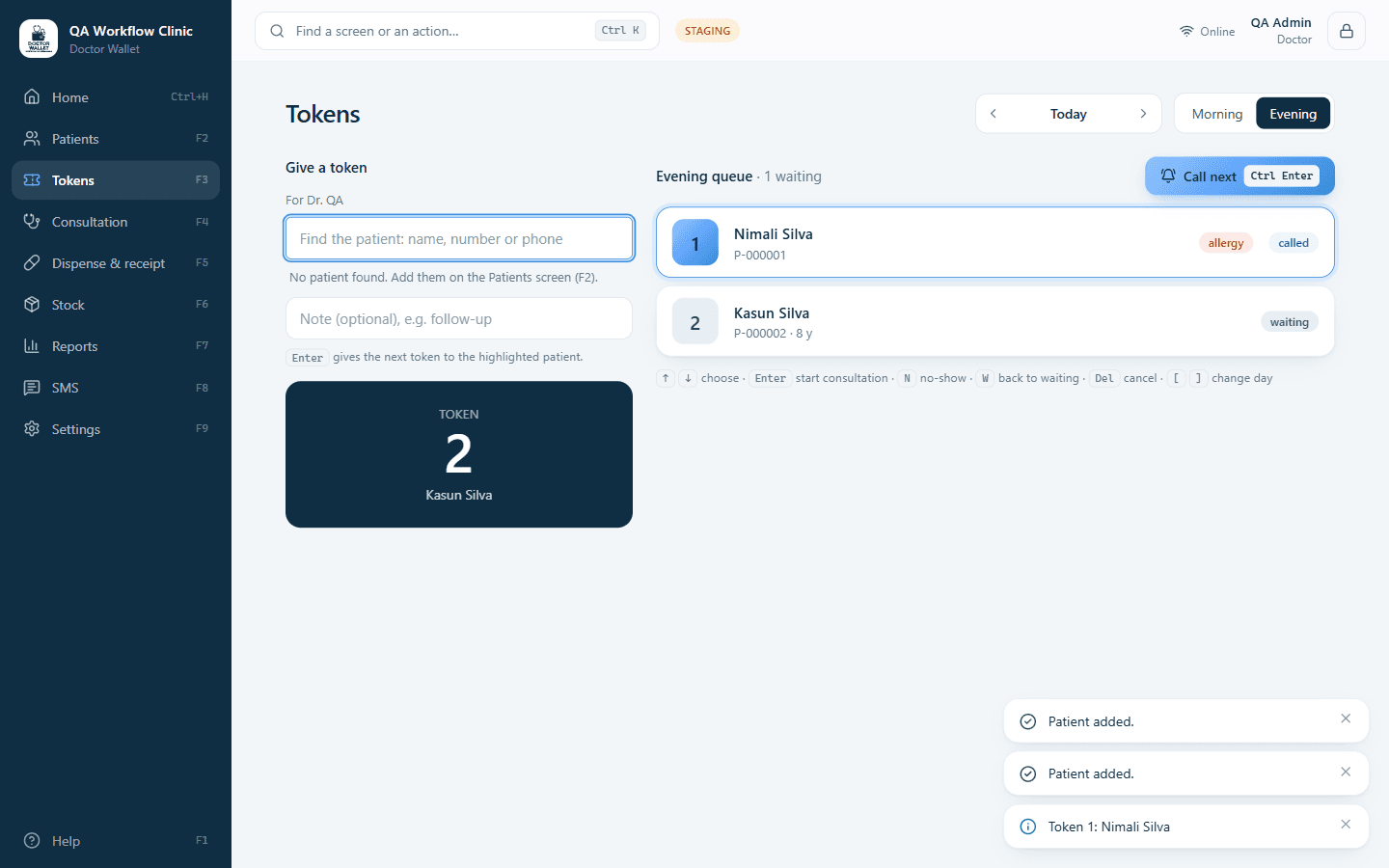
Reception, the consulting rooms and the dispensary share one live queue over your own network, and a screen in the waiting room shows whose turn it is.
Backed up, then in sync
When the internet is back, everything is copied to your clinic's private cloud database, so a broken PC never means lost records.
Everything in a clinic day
One system for the front desk, the doctor and the dispensary.
Tokens and the live queue
Give a token in two keystrokes. Call the next patient. The waiting room display shows numbers only.
Consultation and prescriptions
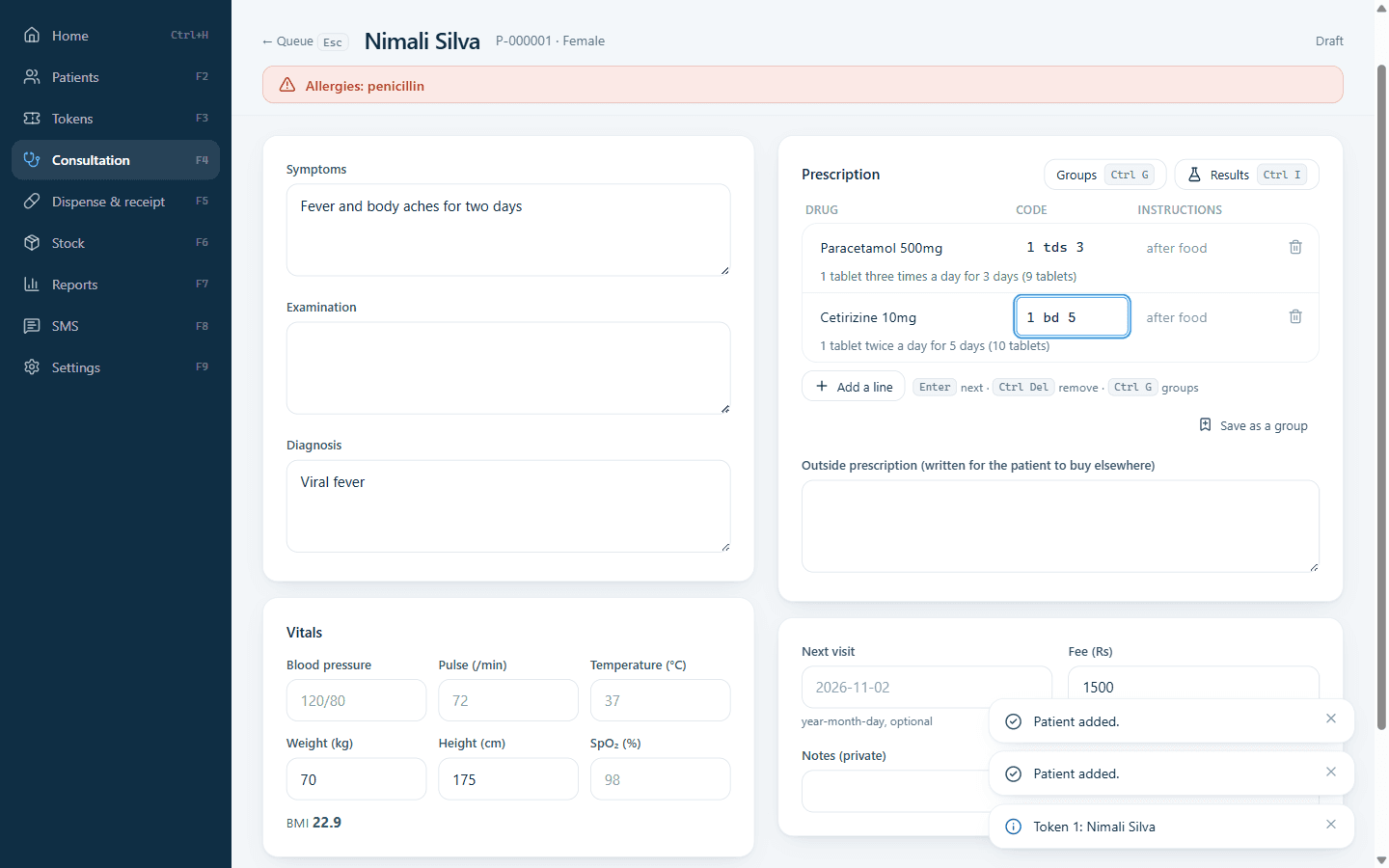
Symptoms, vitals, diagnosis and a prescription written with short codes, ready to print.
Dispensing and receipts
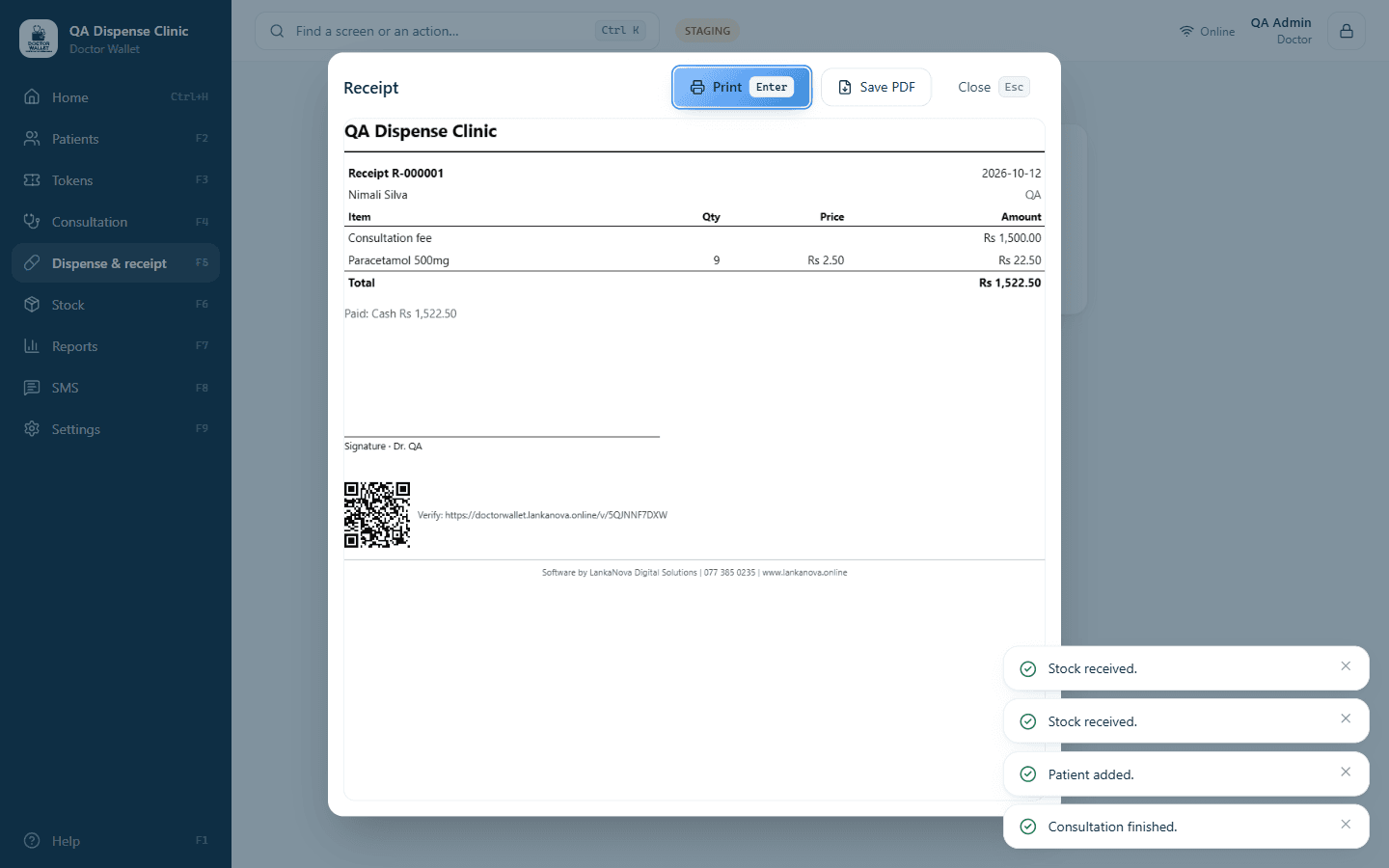
From prescription to receipt without retyping, with stock taken from the right batch.
Stock you can trust
See what is running low or about to expire before it costs you.
SMS that reaches patients
Token confirmations, visit reminders and “your turn is near”, sent from the cloud even if the clinic PC is off.
Reports and day end
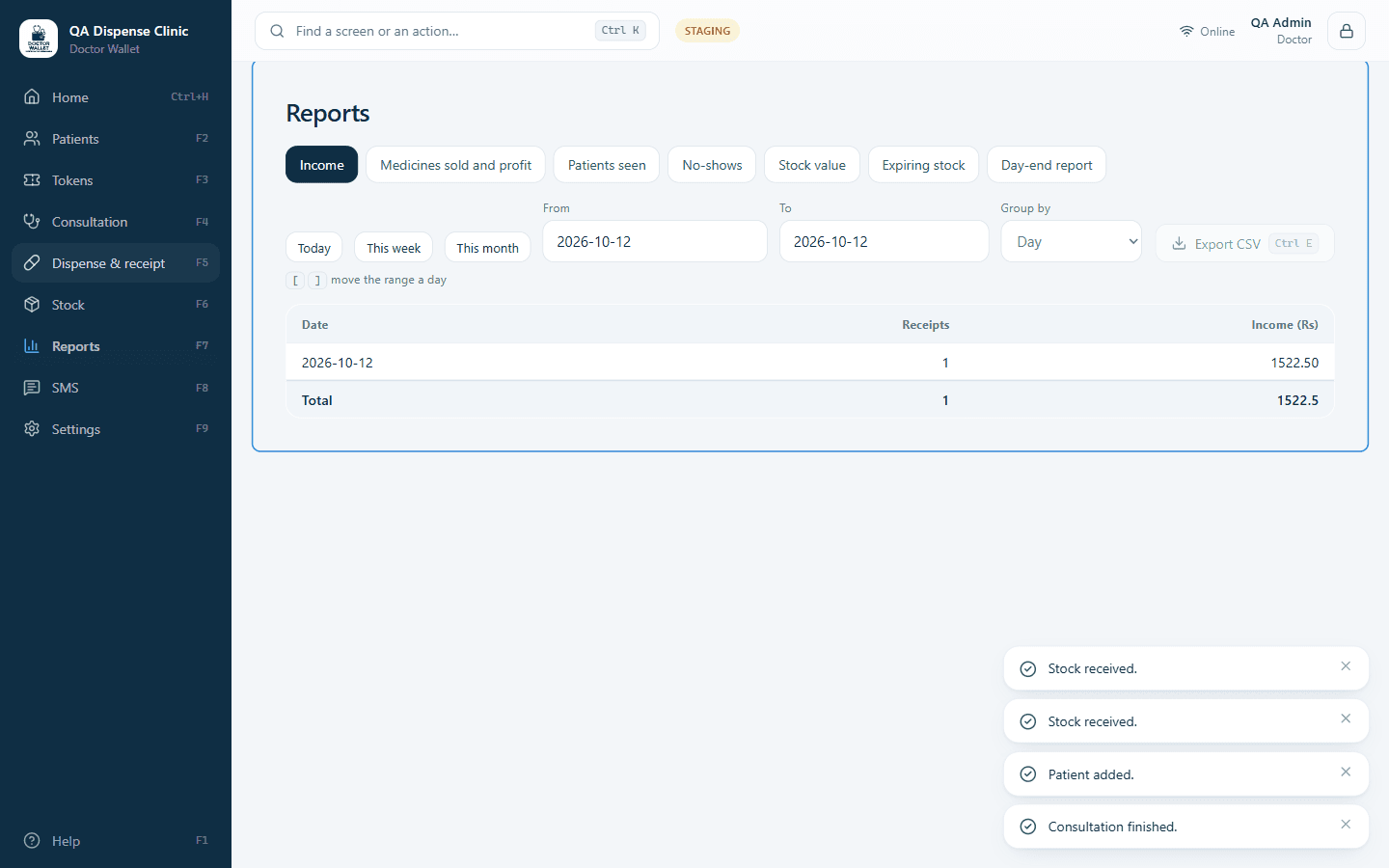
Know the day's income, the busiest hours and what sells, without a spreadsheet.
In the consulting room
Write a prescription as fast as you speak it
Type “1 tds 3” and Doctor Wallet writes it out in full and counts the tablets. Allergies are flagged before you prescribe, and the vitals, history and results sit beside the prescription.
- Medicine groups for common prescriptions
- BMI and results over time
- Print for the patient, or send to the dispensary
At the counter
From prescription to receipt without retyping
The dispensary sees what the doctor wrote, takes stock from the right batch and prints a receipt that carries a verification code your patient can scan.
- Cash, card and bank payments
- Voids need a reason and are on record
- Prints on A4 or a receipt printer
At the end of the day
Know how the day went
Day-end cash-up, income by doctor, the busiest hours and what the dispensary sells. Money figures are visible only to the people you choose.
- Export to CSV or print
- Low stock and expiry alerts
- Every change on a tamper-evident log
Beyond the front desk
Reach staff, labs and patients, safely.
Web portal for staff
The front desk or a doctor on the move can see the queue, look up a patient and ask for a token from any browser or phone, with the same roles as in the clinic.
Lab portal
Refer a patient to a linked laboratory. The lab uploads the report, and it lands in the patient's record with the doctor notified.
Patient portal
Patients you choose can sign in with an SMS code to see their visits, prescriptions and lab reports, and ask for a token.
Doctor directory
List your profile so patients can find you. Nothing appears until you tick the box and we have checked it.
Plans
Sized to your clinic.
We quote after a short chat about your clinic, so you only pay for what you use.
Individual practice
One doctor, with an assistant or on their own.
- One doctor
- Two PCs
- Tokens, consultation, dispensing, stock and reports
- Cloud backup and SMS
- Installation and training from LankaNova
Medical centre
Several doctors, a front desk and a dispensary.
- Several doctors and many PCs on your network
- Roles for admin, doctor, receptionist, dispenser, nurse and cashier
- Waiting room display, staff portal and lab links
- Everything in the individual plan
- Installation and training from LankaNova
Security
Patient records are treated like patient records.
Encrypted on your PC
The clinic database is encrypted on disk. A stolen PC or a copied file doesn't give anyone your patients.
Roles that are enforced
What a receptionist, nurse or cashier can see is decided by the program itself, not just hidden on the screen.
Every change on record
A tamper-evident activity log records who did what. Opening a patient's record is logged too.
Does it work when the internet is down?
Yes. Doctor Wallet runs on your own PCs and keeps its data there, so tokens, consultations and receipts carry on. Changes are sent to the cloud when the internet returns. SMS and the web portals need the internet.
Where is our patient data kept?
On your clinic's PC, in an encrypted database, and in a private cloud database that belongs to your clinic alone. We never put patient information on the public website.
Can several PCs share one clinic?
Yes. One PC is the Hub that holds the data; the others on the same network connect to it securely, and receipts print on the PC that is in front of the printer.
What happens if a PC breaks?
Restore the latest backup on a new PC, activate it with your App ID and carry on. The cloud copy fills in anything newer than the backup.
What do I need to install it?
A Windows PC. LankaNova sets up your App ID and activation key, installs the software and trains your staff.
See Doctor Wallet with your own clinic's day in mind.
A 30-minute demo, no obligation. Or call us on 077 385 0235.